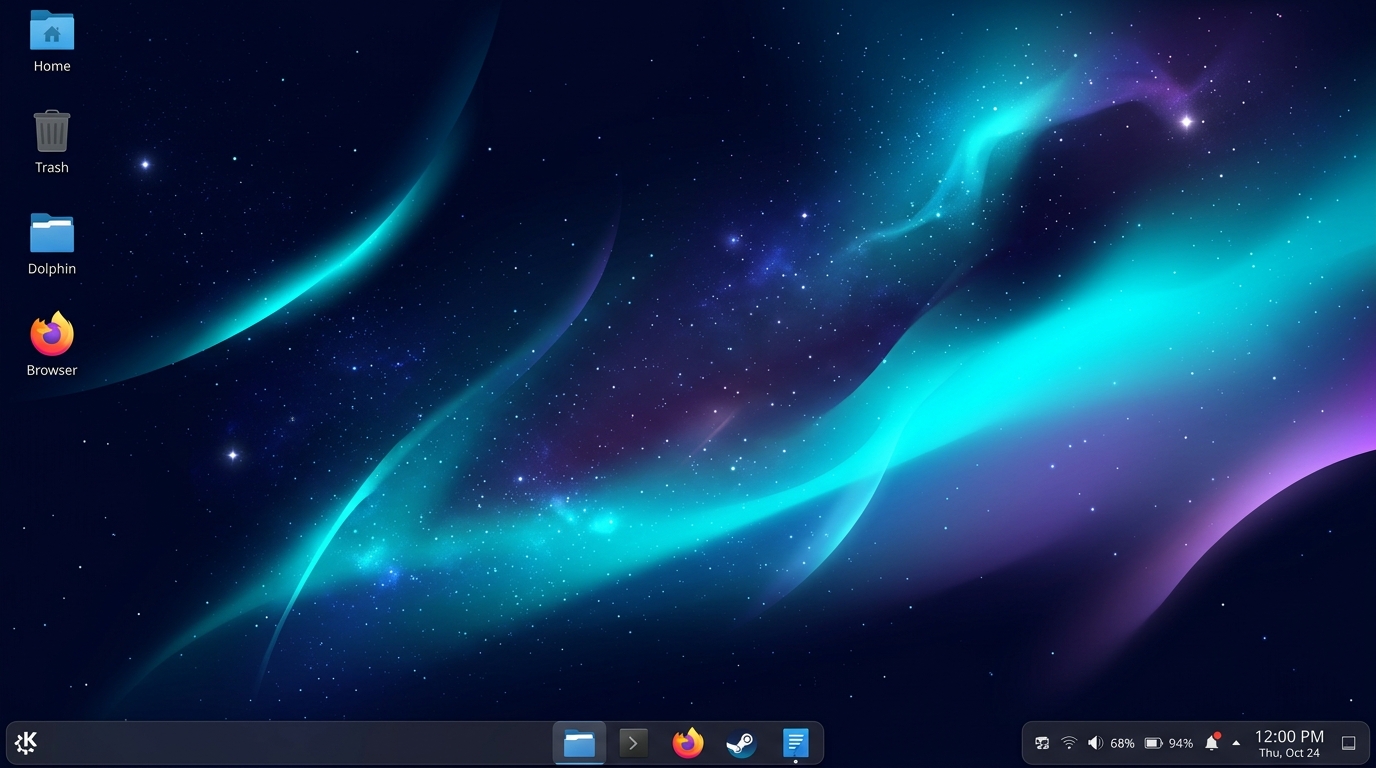
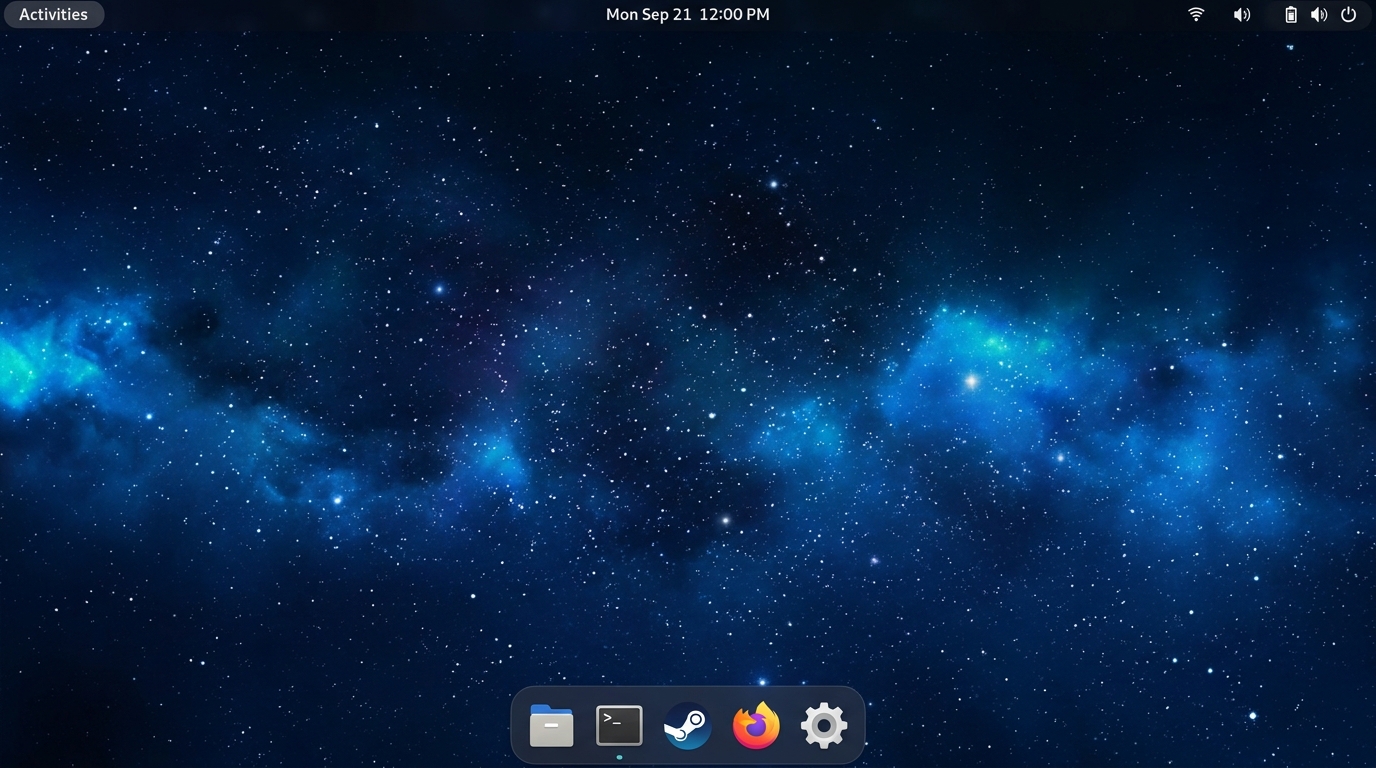
Experience the cutting-edge performance of Arch Linux without the configuration barrier. Featuring dual Wayland environments (KDE Plasma 6 + GNOME), pro-grade gaming tuning, universal hypervisor drivers, and an intuitive native graphical installer.
Engineered for Extreme Performance & Day-One Usability
Caelaris eliminates the manual configuration overhead of Arch Linux while preserving total user control and bleeding-edge software access.
🔄
Dual Wayland Sessions
Choose between KDE Plasma 6 and GNOME 4x on the fly. Switch within 2 seconds during live preview, and select your preferred desktop at every SDDM login.
🎮
Pro-Grade Gaming Stack
Tuned sysctl parameters with vm.max_map_count=2147483642, Feral GameMode, MangoHud overlay, Steam Proton, and CAKE queue discipline to eliminate multiplayer bufferbloat.
🛠️
Native Graphical Installer
PyQt6 multithreaded installation wizard (`caelaris-installer-gui`) supporting guided Btrfs subvolumes (`@`, `@home`, `@cache`), Ext4, automatic driver provisioning, and USB protection.
🖥️
Universal Hypervisor Suite
First-boot acceleration for VMware Workstation (`open-vm-tools`), VirtualBox (`vboxservice`), and UTM/QEMU (`spice-vdagentd`) with automated dynamic resolution matching.
🤫
Clean Silent Direct Boot
Single bootloader title displaying strictly Caelaris Linux, booting silently directly into SDDM with zero console clutter or flickering kernel messages.
👤
Pristine Single User Profile
Temporary live user accounts and sysusers definitions are completely purged during installation. Only your personal setup profile exists on the installed system.
🎵
PipeWire Pro-Audio Architecture
Unified low-latency PipeWire sound server with WirePlumber session management, featuring seamless ALSA, PulseAudio, and professional JACK audio routing.
📦
100,000+ Packages via Yay & AUR
Pre-installed `yay` AUR helper alongside official Arch Linux Core, Extra, and Multilib repositories, plus Flathub sandbox integration for endless software freedom.
Comparison
How Caelaris Stacks Up
See why Caelaris Linux delivers a cleaner, faster, and more versatile computing experience than conventional distributions.
Feature / Capability
Caelaris Linux
Vanilla Arch
Manjaro
CachyOS
Fedora 40
Dual Desktop (KDE + GNOME)
✔ Unified ISO
✖ Manual
✖ Separate ISOs
✖ Separate ISOs
✖ Separate Spins
Live Desktop Hot-Switcher
✔ < 2 seconds
✖ None
✖ None
✖ None
✖ None
Custom Native GUI Installer
✔ PyQt6 Engine
✖ CLI Only
Calamares
Calamares
Anaconda
Tuned Low-Latency Gaming Sysctl
✔ Out-of-the-box
✖ Manual
✖ Standard
✔ Built-in
✖ Partial
VMware & VBox Auto-Resize
✔ Integrated Daemon
✖ Manual
Partial
Partial
Partial
Silent Direct Bootloader
✔ Direct to SDDM
✖ Manual
Partial
Partial
Yes (Plymouth)
Bundled AUR Helper (`yay`)
✔ Pre-installed
✖ Manual
Pamac
Paru/Yay
✖ COPR Only
Get Caelaris
Download Caelaris Linux Rolling ISO
Choose between our multi-part GitHub Releases download or direct single-file mirror. Free, open-source, and verified clean.
Due to GitHub's 2GB asset limit, the 4.0GB hybrid desktop ISO is provided in 3 parts. Download all parts into the same folder and run combine.bat (Windows) or use cat (Linux/Mac) to assemble.
Hybrid UEFI bootable ARM64 ISO. Bootable on Raspberry Pi 5, 4 & 3B+ (with UEFI firmware), ARM64 virtual machines (QEMU/UTM on Apple Silicon / PC), and cloud ARM instances.
Universal raw disk image for Raspberry Pi 5, Pi 4 & Pi 3B+. Directly flash to your MicroSD card, USB drive, or NVMe HAT using Raspberry Pi Imager or BalenaEtcher.
Universal bootable hybrid UEFI ARM64 ISO with interactive dual KDE Plasma 6 & GNOME 4x Wayland desktop environments and graphical system installer for Apple Silicon (UTM / Asahi), Qualcomm Snapdragon X Elite/Plus laptops, and ARM64 workstations.
Run Caelaris Linux on Apple Silicon Macs! Supports bare-metal dual boot via standard Asahi U-Boot integration, or 100% native CPU speed virtualization in UTM with hardware VirtIO-GPU acceleration.
⚡ Snapdragon X Elite & ARM Laptops
Engineered for Copilot+ ARM laptops (Surface Laptop 7, Lenovo Yoga Slim 7x, Dell XPS 13 ARM, ASUS Vivobook S 15). Flash ISO to USB with Rufus (DD Mode) or BalenaEtcher and boot via UEFI.
Download caelaris-cloud-x86_64.iso (~1.9 GB) directly or via curl in your terminal.
In Proxmox VE / KVM / OpenStack, create a VM with q35 machine type, VirtIO SCSI controller, and VirtIO network adapter.
Attach the Caelaris Cloud ISO as CD-ROM and attach a cloud-init drive (in Proxmox: Hardware → Add → Cloud-Init Drive).
Configure your SSH Public Key and IP/DHCP in the Cloud-Init tab, then power on the VM.
The system provisions automatically on first boot, starts OpenSSH, enables QEMU Guest Agent, and idles under 120MB RAM!
Installing on ARM64 Laptop (Snapdragon X Elite / Copilot+ PC)
Download caelaris-arm64-pc.iso.part-00, caelaris-arm64-pc.iso.part-01, and combine.bat from arm64-pc-release.
Double-click combine.bat to instantly merge the parts into the full 2.2 GB caelaris-arm64-pc.iso. (On Linux/macOS run: cat caelaris-arm64-pc.iso.part-* > caelaris-arm64-pc.iso).
Flash caelaris-arm64-pc.iso to a USB 3.0+ flash drive using Rufus (select DD Image Mode) or balenaEtcher.
In Windows on your Snapdragon laptop, disable BitLocker Device Encryption and reboot into UEFI BIOS firmware (hold Shift + Restart → Troubleshoot → Advanced → UEFI Firmware Settings).
In UEFI Settings, temporarily disable Secure Boot (or allow Microsoft 3rd Party UEFI CA).
Press F12 / Boot Menu key to boot from USB. The GRUB AArch64 bootloader will display options for both KDE Plasma 6 and GNOME Desktop on Wayland!
Launch Install Caelaris Linux from the desktop to deploy permanently to internal NVMe/SSD storage.
Running in VMware Workstation / Fusion
Create a new Virtual Machine: Choose Linux > Arch Linux 64-bit.
Allocate at least 4 GB RAM, 2-4 vCPUs, and 30 GB virtual disk.
Attach the Caelaris Linux `.iso` to the virtual CD/DVD drive.
Boot the VM: open-vm-tools and automatic 1080p display resizing will engage automatically!
Running in Oracle VirtualBox
Create VM: Type Linux, Version Arch Linux (64-bit).
In Settings > System > Motherboard, make sure Enable EFI (special OSes only) is checked.
In Settings > Display, allocate 128 MB Video Memory and choose VMSVGA controller.
Start the VM. VirtualBox Guest Services will automatically scale the display and enable shared clipboard!
Running on Apple Silicon (M1 / M2 / M3 / M4) via UTM or Bare Metal
Download & Assemble: Download caelaris-arm64-pc.iso.part-00 and caelaris-arm64-pc.iso.part-01 from arm64-pc-release. In macOS Terminal, run: cat caelaris-arm64-pc.iso.part-* > caelaris-arm64-pc.iso.
UTM Hypervisor (100% Native CPU Speed): In UTM, click Create a New Virtual Machine → Virtualize → Linux.
Browse and select caelaris-arm64-pc.iso. Allocate 4–8 GB RAM and at least 4 CPU cores.
Enable UEFI Boot and VirtIO-GPU (Metal OpenGL/Vulkan acceleration) in VM Display settings.
Boot the VM: Enjoy interactive KDE Plasma 6 or GNOME on Wayland with native clipboard and display synchronization!
Bare Metal Dual Boot (Asahi U-Boot): You can also install directly to an APFS container using the standard Asahi Linux installer environment pointing to the Caelaris ARM64 rootfs.
Enterprise & Homelab Infrastructure
Caelaris Server & Headless ISO Installation
Transform physical bare-metal hardware, Proxmox/KVM hypervisors, and edge nodes into high-performance, low-latency servers with sub-150 MB idle RAM, native container engines, and out-of-the-box web management.
⚡ Sub-150 MB Idle Footprint
Completely free of display server overhead (no X11/Wayland background daemons). 100% of CPU cycles and memory are reserved for your microservices, databases, and Docker pods.
🌐 Cockpit Web Administration
Instant browser-based management dashboard accessible at https://<server-ip>:9090. Inspect CPU metrics, RAID pools, systemd services, firewall rules, and container logs with ease.
🐳 Native Container & VM Stack
Docker engine, rootless Podman, and KVM/QEMU hypervisor with VirtIO-net and VirtIO-scsi kernel acceleration pre-configured for bare-metal virtualization throughput.
🛡️ Automated Btrfs RAID & Snapshots
Optimized subvolumes (@server, @var_log, @docker) formatted with transparent zstd compression, providing 0.05-second atomic rollbacks and multi-drive storage pools.
⚡ BBR & CAKE Low-Latency Network
Pre-tuned TCP BBR congestion control and CAKE packet scheduling for maximum server throughput and zero bufferbloat during heavy ingress/egress load.
🔐 Hardened OpenSSH & Zero Tracking
Pre-configured OpenSSH server using modern Ed25519 elliptic curve keys, fail2ban compatibility, and absolute immunity from corporate telemetry or cloud reporting.
Deploying on Physical Server / Mini-PC / Workstation
Ideal for dedicated homelab servers, NAS storage rigs, local build agents, and Intel NUC / AMD Mini-PCs.
Flash the ISO: Flash caelaris-server-x86_64.iso to a USB 3.0+ flash drive using Rufus (DD mode), Ventoy, or balenaEtcher.
Boot to Minimal / Headless Mode: Plug into your server node, power on, and at the boot menu, select Caelaris Linux Server & Headless.
Launch the High-Speed TUI Installer:
sudo caelaris-installer-cli
Storage & Subvolumes: The installer automatically configures Btrfs with dedicated subvolumes for root (@server), container storage (@var_lib_docker), and system logs (@var_log).
Reboot to Production: Remove USB and reboot. Your headless server reaches a login prompt in under 3 seconds with OpenSSH and network interfaces automatically enabled!
Unattended Remote SSH Installation (No Monitor / No Keyboard Needed)
Designed for rackmount servers, headless nodes in server closets, and remote homelabs without physical peripherals.
Plug in Ethernet & USB: Connect your server node to your local gigabit LAN via Ethernet and insert the bootable Caelaris USB.
Power On: The live ISO automatically requests a DHCP lease, establishes IPv4/IPv6 connectivity, and brings up the live SSH installer daemon.
Connect Remotely from your Laptop / Desktop:
ssh root@caelaris-live.local
(Or find the IP address via your router dashboard or arp -a / nmap -sn 192.168.1.0/24)
Architectural teardown comparing Caelaris Linux against Windows 11 and traditional distros across gaming latency, developer toolchains, idle overhead, and privacy.
Everything you need to know about installing, running, and updating Caelaris Linux.
Yes! Caelaris Linux inherits the true rolling release nature of Arch Linux. Once installed, you will never need to reinstall for a major version upgrade. Simply running yay -Syu or updating via the Welcome app updates your entire system to the newest kernel, mesa drivers, and desktop packages.
Both KDE Plasma 6 (default) and GNOME 4x run natively on Wayland and are packaged into a single ISO. During live preview, you can test both or hot-switch in 2 seconds via caelaris-switch-desktop. On installed systems, you can freely select Plasma or GNOME from the SDDM session dropdown at every login.
Because GitHub Releases enforces a 2GB limit per file, the ISO is split into .part-00, .part-01, and .part-02. Download all parts and combine.bat into the same folder, then double-click combine.bat. It will automatically concatenate them using binary copy into a complete, verified ISO!
Caelaris includes pro-grade kernel sysctl parameters: vm.max_map_count = 2147483642 (preventing Star Citizen / Unreal Engine 5 Proton crashes), low swappiness, CAKE network packet queueing, Steam, Feral GameMode, MangoHud overlay (32 & 64-bit), and full 32-bit Vulkan driver support.
The Caelaris Graphical Installer includes live USB media protection to ensure you cannot accidentally overwrite your boot drive, plus a bold confirmation warning. When choosing a disk, make sure to select a dedicated drive for Caelaris (or install inside a virtual machine) because the installer formats the chosen target disk.
Yes! We provide dedicated ARM64 releases built specifically for single-board computers, supporting the Raspberry Pi 5, Raspberry Pi 4 Model B, and Raspberry Pi 3 Model B+. In the Download section above, select the Raspberry Pi SBCs tab to download either the hybrid ARM64 ISO or the pre-configured .img.xz disk image for 1-click writing with Raspberry Pi Imager. On the 1GB Raspberry Pi 3B+, Caelaris leverages Broadcom VideoCore IV KMS drivers and active zstd ZRAM swap compression to ensure smooth, responsive Wayland desktop operation.
Absolutely! Caelaris Linux provides full 64-bit ARM (AArch64) support for modern ARM PCs:
Apple Silicon (M1 / M2 / M3 / M4): You can run Caelaris with 100% native CPU performance and Metal-accelerated GPU graphics inside UTM on macOS, or install it as a bare-metal dual-boot OS via the standard Asahi U-Boot loader.
Qualcomm Snapdragon X Elite & Plus Laptops: Copilot+ PCs (such as Microsoft Surface Laptop 7, Lenovo Yoga Slim 7x, Dell XPS 13 9345, and ASUS Vivobook S 15) support standard UEFI AArch64 booting. Download the caelaris-arm64-pc.iso from the ARM64 Laptops & PCs tab above, flash it to a USB drive in DD mode, disable Secure Boot in firmware settings, and boot directly into KDE Plasma 6 or GNOME with Mesa Freedreno Adreno GPU acceleration!
How to Reassemble Split ISO Parts
Option 1: Windows (1-Click Automated)
1. Download all .part-00, .part-01, .part-02 files and combine.bat into the same directory.
2. Double-click combine.bat.
3. It will merge the files and generate caelaris-kde.iso ready for flashing or virtualization!